

An effective AI use policy must do three things: protect regulated data, assign clear ownership, and define which tools employees may use and how. Without all three, the policy is unenforceable. Use the checklist below to confirm your draft covers the minimum before rollout.
Minimum policy checklist:
- Scope: Names every covered group (employees, contractors, vendors, agents) and every AI category (embedded features, external generative AI services, on-premises models)
- Approved tools: Maintains a current whitelist; all other tools require prior approval
- Data-class rules: Maps each data tier (Public, Internal, Confidential, Restricted/PHI/PII) to permitted AI actions and required controls
- Approval workflow: Defines who reviews new tool requests, the decision SLA, and how exceptions are documented
- Incident reporting: Names the reporting channel, the response SLA, and the disciplinary framework
- Review cadence: Sets a fixed review schedule (at minimum annually) and names the policy owner
The template clauses and policy skeleton in the sections below are copy-ready. Start there, then adapt for your sector and size.
Key Takeaways
A defensible AI use policy requires scope, ownership, data-class rules, an approval workflow, incident response procedures, and a fixed review cadence, all mapped to the NIST AI RMF.
| Point | Details |
|---|---|
| Define scope and ownership first | Name every covered person, AI category, and a designated policy owner before drafting any other clause. |
| Map data classes to permitted actions | Assign explicit AI permissions and required controls to each data tier: Public, Internal, Confidential, and Restricted. |
| Align to NIST AI RMF | Map GOVERN, MAP, MEASURE, and MANAGE functions to specific policy sections for audit-ready risk documentation. |
| Include NLRA and sector-specific guardrails | Add an NLRA disclaimer and HIPAA/FERPA-specific prohibitions to avoid labor-law and regulatory exposure. |
| Jonathanjboone advisory services | Jonathanjboone provides policy drafting workshops, governance design, and 90-day rollout support for organizations building or updating their AI governance program. |
Table of Contents
- What does an AI use policy need to cover?
- How should you define AI terms in a policy?
- What can employees do with AI, and what is off-limits?
- Who owns the policy and what are their specific duties?
- How does the NIST AI RMF map to your policy sections?
- What does a solid vendor approval process look like?
- How do you monitor AI use and respond to incidents?
- What training and labor-law guardrails does the policy need?
- What does a ready-to-use policy template look like?
- What does a 30/60/90-day rollout look like?
- How should leaders integrate this policy into culture and HR practice?
- Leaders who act now reduce risk and enable innovation
- Jonathanjboone helps organizations build and implement AI governance
- Sources
What does an AI use policy need to cover?
A strong AI use policy opens with a plain statement of purpose: why the policy exists, what it protects, and what it enables. That statement anchors every clause that follows and gives auditors a clear intent record.
Recommended purpose statements cover four objectives: protect regulated and confidential data from unauthorized disclosure through AI systems; assign accountability for AI-related decisions and outputs; enable responsible use of AI tools that improve productivity; and reduce legal, reputational, and operational risk from unsanctioned or misconfigured AI use.
Who and what the policy covers
Scope should be explicit, not implied. Name every covered group: full-time employees, part-time staff, contractors, temporary workers, vendors with system access, and agents acting on behalf of the organization. On the technology side, cover three AI categories: embedded AI features inside existing software (grammar checkers, smart scheduling, copilot features in productivity suites), external generative AI services accessed via browser or API (OpenAI ChatGPT, Google Gemini, Anthropic Claude), and any on-premises or self-hosted large language models.
Narrow scope creates gaps. A policy that covers only "AI software purchased by IT" leaves out browser-based tools employees use on personal devices, which is where most shadow AI activity occurs. Broad scope without role-based nuance creates friction. The practical fix: define a default rule for all covered persons, then add role-based overlays for high-risk functions (HR, legal, finance, clinical staff).
Scope rules for devices and integrations
Apply the policy to corporate-managed devices unconditionally. For BYOD (bring your own device), limit the policy to work-related AI use and data. For third-party integrations, require that any vendor connecting an AI capability to organizational systems go through the same approval workflow as a new internal tool.
Exceptions process: Any exception to the policy requires written approval from the designated policy owner, documentation of the business justification, a defined expiration date, and a compensating control. Undocumented exceptions are treated as violations.
Pro Tip: Set the review cadence at policy launch, not later. Annual reviews are the minimum; for organizations in regulated sectors (healthcare, education, financial services), a semi-annual review tied to your existing compliance calendar is more defensible.
How should you define AI terms in a policy?
Precise definitions prevent enforcement gaps. When a policy says "AI tool" without defining it, employees reasonably disagree about whether a spell-checker or a browser plugin counts. Every definition below is policy-ready and can be inserted verbatim.
| Term | Policy-Ready Definition |
|---|---|
| AI tool | Any software, application, API, or embedded feature that uses machine learning, large language models, or automated decision logic to generate, classify, recommend, or act on information |
| Generative AI | An AI system that produces text, images, code, audio, or other content in response to prompts, including but not limited to OpenAI ChatGPT, Google Gemini, and Anthropic Claude |
| Model | The trained computational artifact that produces outputs; distinct from the application interface used to access it |
| Output | Any content, recommendation, decision, score, or action produced by an AI system, whether reviewed by a human or not |
| Agentic AI | An AI system configured to take multistep actions autonomously, including browsing, executing code, sending communications, or modifying data, with limited or no human review per step |
| Shadow AI | Any AI tool used for work purposes that has not been reviewed and approved through the organization's AI intake process |
| Sensitive data | Personally identifiable information (PII), protected health information (PHI), student education records subject to FERPA, payment card data (PCI), attorney-client privileged material, and any data classified as Confidential or Restricted under the organization's data governance policy |
Classification scheme and control mapping
Four categories cover most organizational AI use. Each carries different control requirements.
Embedded features (autocomplete, grammar assist, smart scheduling inside approved software) carry the lowest risk. The vendor contract governs data handling; the policy requires employees to verify that the feature does not transmit data outside the approved data-processing boundary.
Third-party generative AI services (ChatGPT, Gemini, Claude accessed via browser or API) require explicit approval, data-class restrictions, and contractual data processing agreements (DPAs) before use with anything above Public data.
On-premises or private-cloud LLMs require TEVV (testing, evaluation, verification, and validation) before deployment, a designated system owner, and documented bias and fairness checks. NIST's generative AI profile identifies the specific risk categories these systems introduce, including confabulation, data privacy, and homogenization.
Agentic and automated agents carry the highest risk. They require human-in-the-loop checkpoints at defined intervals, a named human accountable for each agent's actions, and an incident response plan specific to autonomous action failures.
What can employees do with AI, and what is off-limits?
The permitted/prohibited use section is the most-read part of any AI usage policy. Keep it concrete. Vague language ("use AI responsibly") produces inconsistent behavior; specific examples produce consistent behavior.
Data-class rules
| Data Class | Examples | Permitted AI Actions | Required Controls |
|---|---|---|---|
| Public | Published web content, press releases | Any approved tool | Standard output review |
| Internal | Internal memos, non-sensitive project files | Approved generative AI services with DPA | Human review of outputs before distribution |
| Confidential | Business strategy, contracts, employee performance data | On-premises or private-cloud LLM only | DPA, access logging, manager approval |
| Restricted | PHI, PII, FERPA records, PCI data, legal privilege | No generative AI service without specific legal and compliance sign-off | DPA, BAA (for PHI), audit trail, legal review |
SHRM's generative AI usage policy template reinforces this structure, providing HR-focused language that explicitly prohibits uploading sensitive or confidential data to public AI systems and requires oversight for consequential decisions.
Permitted uses
- Drafting and editing non-confidential communications, reports, and training materials
- Summarizing publicly available research or internal documents classified as Internal or below
- Writing, reviewing, or debugging code where no Restricted data is involved
- Generating images or graphics for internal use from text prompts (no biometric or personal data in prompts)
- Analyzing anonymized or aggregated datasets with prior IT and legal approval
Prohibited uses
- Uploading PHI, FERPA-protected records, PCI data, or attorney-client privileged material to any external generative AI service
- Using AI to make or substantially influence employment decisions (hiring, termination, promotion, performance ratings) without documented human review and bias assessment
- Impersonating another person, organization, or official source using AI-generated content
- Using unapproved (shadow AI) tools for any work-related task involving Internal, Confidential, or Restricted data
- Submitting AI-generated outputs as original human work where disclosure is required by contract, regulation, or institutional policy
Fisher Phillips' sample employer policy recommends explicit do/don't list and an NLRA disclaimer, both of which belong in this section.
Pro Tip: Publish a live tool registry alongside the policy. A static whitelist becomes outdated within weeks. A registry with approval dates and data-class restrictions gives employees a real-time reference and gives IT an audit trail.
Who owns the policy and what are their specific duties?
Policy ownership without specificity produces no accountability. Assign a named role, not just a department.
| Role | Primary Duties |
|---|---|
| Policy Owner (CISO or designated VP) | Maintains the policy, approves exceptions, chairs the AI review committee, reports to the board or executive team on governance metrics |
| AI Review Committee | Reviews new tool requests, conducts vendor due diligence, sets TEVV standards, escalates high-risk use cases to legal and compliance |
| HR | Integrates AI policy into onboarding, performance management, and disciplinary processes; delivers baseline training; manages accommodation requests related to AI tools |
| IT / Security | Maintains the tool registry, enforces technical controls, monitors for shadow AI, manages logging and audit trails |
| Legal / Compliance | Reviews vendor contracts, DPAs, and BAAs; advises on HIPAA, FERPA, NLRA, and anti-discrimination obligations; leads incident response for regulatory exposure |
| Line Managers | Enforce policy within their teams, approve team-level use cases, escalate incidents, complete manager-level training |
| All Employees | Complete mandatory training, use only approved tools, report incidents and suspected violations, verify AI outputs before use |
IBM's AI governance implementation guide frames governance as people plus process plus technology: define purpose, assign ownership, build an inventory, and embed monitoring. That sequence maps directly to these role assignments.
Governance metrics to track
- Tool registry completeness (percentage of known AI tools with a completed intake record)
- Open incident backlog (number of unresolved AI-related incidents by age)
- Training completion rate by role and department
- Vendor due-diligence completion rate for tools handling Internal data or above
Escalation paths should be documented in the policy itself: employee reports to manager, manager escalates to HR or IT, IT or HR escalates to legal for regulatory exposure, legal escalates to executive leadership for material incidents.
How does the NIST AI RMF map to your policy sections?
Use the NIST AI Risk Management Framework as the policy's risk-management backbone. The four functions (GOVERN, MAP, MEASURE, MANAGE) correspond directly to policy sections, which makes alignment auditable.
GOVERN maps to: policy ownership and governance committee structure; review cadence; training requirements; escalation and reporting lines; documentation standards.
MAP maps to: scope and definitions (intended use, covered systems, data classes); risk scoping for each AI category; vendor classification and intake; identification of high-risk use cases (employment decisions, clinical decisions, student-facing systems).
MEASURE maps to: TEVV requirements for on-premises and agentic systems; bias and fairness testing cadence; explainability checks; output accuracy verification requirements; logging and audit-trail standards.
MANAGE maps to: incident response procedures; remediation steps for biased or harmful outputs; vendor contract enforcement; disciplinary framework; exception management.
Sample risk register fields
Include a risk register as a policy appendix or link to it from the policy. Minimum fields:
- System name and version
- System owner (named individual)
- Intended use and covered population
- Data classes processed
- AI category (embedded, third-party GenAI, on-prem LLM, agentic)
- Residual risk rating (Low / Medium / High / Critical)
- Mitigation controls in place
- Last TEVV date and next scheduled review
- Incident history (count and severity)
Measurable monitoring controls include: drift detection checks for production models on a defined schedule; bias testing against protected-class proxies before deployment and after significant model updates; explainability documentation for any AI system used in employment or student-facing decisions; and prompt injection testing for any externally accessible agentic system.
What does a solid vendor approval process look like?
Every new AI tool request should go through a structured intake before approval. A two-stage process works for most organizations: a lightweight self-service intake form, followed by a formal review for tools that will handle Internal data or above.
Intake form fields:
- Tool name, vendor, and version
- Requested by (name, department, role)
- Business justification and intended use case
- Data classes the tool will access or process
- AI category (embedded, third-party GenAI, on-prem, agentic)
- Proposed user population and access scope
- Vendor's data processing terms (DPA) — attached or URL
- SOC 2 Type II report — attached or URL
- Decision requested by (date)
Vendor due-diligence checklist:
- Data processing agreement (DPA) in place and reviewed by legal
- Business Associate Agreement (BAA) for any PHI processing
- SOC 2 Type II or equivalent security certification current
- TEVV evidence: vendor-provided testing documentation for accuracy, bias, and safety
- Model provenance: documentation of training data sources and any known limitations
- Data retention and deletion policy: maximum retention period, deletion-on-request capability
- Subcontractor disclosure: named subprocessors and their data access scope
- Audit rights clause: organization's right to audit or request audit reports
- Incident notification SLA: vendor's obligation to notify within a defined period (72 hours is a common standard)
The OECD Due Diligence Guidance for Responsible AI recommends a whole-of-value-chain approach, including risk-based prioritization and escalation procedures for enterprise AI procurement.
Escalation for high-risk use cases: Any tool intended for use in employment decisions, clinical or student-facing decisions, or processing of Restricted data requires legal and compliance sign-off before approval, regardless of the vendor's certifications. Conditional approvals (approved for Internal data only, pending BAA for PHI use) must be documented with an expiration date.
How do you monitor AI use and respond to incidents?
Monitoring and incident response convert a written policy into an operational one. Without logging, enforcement is reactive and incomplete.
Minimum logging requirements
- Log every approved AI tool interaction that involves Internal, Confidential, or Restricted data, including user ID, timestamp, tool name, and data class accessed.
- Retain approval records (intake forms, vendor due-diligence files, exception approvals) for a minimum of three years or the organization's standard records-retention period, whichever is longer.
- Log all policy exceptions, including the approving authority and the compensating control.
- Maintain an audit trail for any AI output used in an employment decision, student record action, or clinical recommendation.
Incident types and reporting
- Data exposure: Restricted or Confidential data submitted to an unapproved or misconfigured AI tool. Report to IT Security within 24 hours of discovery.
- Discriminatory output: AI output that reflects bias against a protected class (race, sex, age, disability, national origin) in an employment, educational, or service context. Report to HR and Legal within 24 hours.
- Unauthorized access: Use of an unapproved AI tool for work purposes, or access to an approved tool outside authorized scope. Report to IT Security and the employee's manager within 48 hours.
- Prompt injection or adversarial attack: Evidence that an AI system was manipulated to produce unauthorized outputs or access. Report to IT Security immediately.
- Agentic action failure: An autonomous AI agent takes an action outside its defined scope (sends unauthorized communications, modifies data without authorization). Report to the system owner and IT Security immediately.
Response steps
- Contain: Revoke access, disable the tool, or isolate the affected system as appropriate to the incident type.
- Investigate: Document what happened, what data was involved, and which users were affected. Preserve logs.
- Notify: Determine regulatory notification obligations (HIPAA breach notification, FERPA, state data breach laws). Involve legal counsel before external notifications.
- Remediate: Correct the root cause (update controls, retrain users, revoke vendor access, patch the system).
- Document and review: Record the incident in the risk register, update the policy or controls if the incident reveals a gap, and report to the governance committee.
Disciplinary framework: First violations involving good-faith errors and no data exposure warrant documented coaching. Repeated violations, intentional circumvention, or incidents causing data exposure or regulatory liability warrant progressive discipline up to and including termination. Good-faith reporters who self-disclose a policy violation receive protection from punitive action, provided they cooperate with the investigation.
What training and labor-law guardrails does the policy need?
Training is what converts a published policy into consistent employee behavior. A policy without a training requirement is a document; a policy with one is a program.
Mandatory baseline training covers: what the policy requires, which tools are approved, data-class rules, how to report incidents, and what constitutes a prohibited use. Every covered person completes this training within 30 days of policy publication and within 14 days of hire for new employees.
Role-based elevated training applies to:
- HR staff and managers: AI in employment decisions, bias recognition, accommodation requests, manager escalation scripts
- IT and security staff: shadow AI detection, logging requirements, vendor due diligence, incident response procedures
- Legal and compliance staff: HIPAA, FERPA, NLRA, and anti-discrimination obligations in AI contexts
- Researchers and data scientists: TEVV standards, model documentation, bias testing methodology
Communication plan:
- Publish the policy and tool registry on the intranet before the effective date
- Send a plain-language summary to all staff via email, with a link to the full policy and training module
- Hold department-level briefings for high-risk functions (HR, legal, IT, clinical, student services)
- Notify all staff of material policy updates within five business days of approval
NLRA and privacy guardrails
The policy must include an explicit disclaimer that nothing in it prohibits employees from discussing wages, hours, or working conditions with coworkers or engaging in other protected concerted activity under the National Labor Relations Act. Fisher Phillips' sample policy includes model disclaimer language for this purpose.
For HIPAA contexts, the policy must require a BAA with any AI vendor that processes PHI and must prohibit submission of PHI to any tool without a current BAA. For FERPA contexts, the policy must prohibit submission of student education records to external AI services without written consent or a legitimate educational interest determination. For CCPA contexts, the policy must address consumer data rights and vendor obligations for California residents' data.
Pro Tip: Run a policy town hall before the effective date. Employees who understand the "why" behind a policy comply more consistently than those who receive only a document. A 30-minute live session with a Q&A reduces shadow AI more than any monitoring tool.
What does a ready-to-use policy template look like?
The skeleton below follows the structure used by institutional policies at organizations including USC and is consistent with SHRM's generative AI usage policy template. Adapt section headings and bracketed fields for your organization.
Policy skeleton:
- [Organization Name] AI Acceptable Use Policy
- Section 1 — Purpose: [State the four objectives: data protection, accountability, responsible use, risk reduction]
- Section 2 — Scope: [Name covered persons, devices, AI categories, and effective date]
- Section 3 — Definitions:
- Section 4 — Permitted Uses: [List approved use cases by data class]
- Section 5 — Prohibited Uses: [List explicit prohibitions with examples]
- Section 6 — Approval and Procurement: [Describe intake form, review process, and decision SLA]
- Section 7 — Data Handling:
- Section 8 — Roles and Responsibilities:
- Section 9 — Monitoring and Audit: [State logging requirements and retention period]
- Section 10 — Incident Reporting and Response: [State incident types, reporting channels, and response steps]
- Section 11 — Training Requirements: [State baseline and role-based training requirements and completion deadlines]
- Section 12 — Enforcement: [State disciplinary framework and good-faith reporter protections]
- Section 13 — Review Cadence: [State review schedule and policy owner]
- Appendix A — Approved Tool Registry: [Link to live registry]
- Appendix B — Risk Register: [Link to risk register]
Reusable clauses
Permitted-use clause: "Employees may use approved AI tools listed in the Approved Tool Registry for work-related tasks involving data classified as [Public / Internal], provided outputs are reviewed by a qualified human before distribution or use in a decision."
Data-class mapping clause: "No employee may submit data classified as Confidential or Restricted to any external generative AI service without prior written approval from [Policy Owner] and a current Data Processing Agreement with the vendor."
Vendor contract snippet: "Vendor shall (a) process organizational data only for the purposes specified in this agreement; (b) provide a SOC 2 Type II report upon request; (c) notify [Organization] of any security incident affecting organizational data within 72 hours of discovery; (d) delete all organizational data within 30 days of contract termination; and (e) grant [Organization] the right to audit data processing practices upon reasonable notice."
NLRA disclaimer: "Nothing in this policy prohibits employees from discussing wages, hours, or other terms and conditions of employment with coworkers or from engaging in other protected concerted activity under the National Labor Relations Act."
Training requirement clause: "All covered persons must complete the mandatory AI Acceptable Use training within [30] days of this policy's effective date and within [14] days of hire. Failure to complete training by the required date constitutes a policy violation subject to the enforcement provisions in Section 12."
Tailoring notes: Healthcare organizations must add BAA requirements and HIPAA-specific prohibitions. Educational institutions must add FERPA-specific prohibitions and student data consent requirements. Small organizations (fewer than 50 employees) may consolidate the AI Review Committee function into a single designated policy owner with a defined escalation path to legal counsel.
What does a 30/60/90-day rollout look like?
Speed matters. Organizations that delay policy publication while waiting for a perfect document accumulate shadow AI risk. Publish a working draft, then refine.
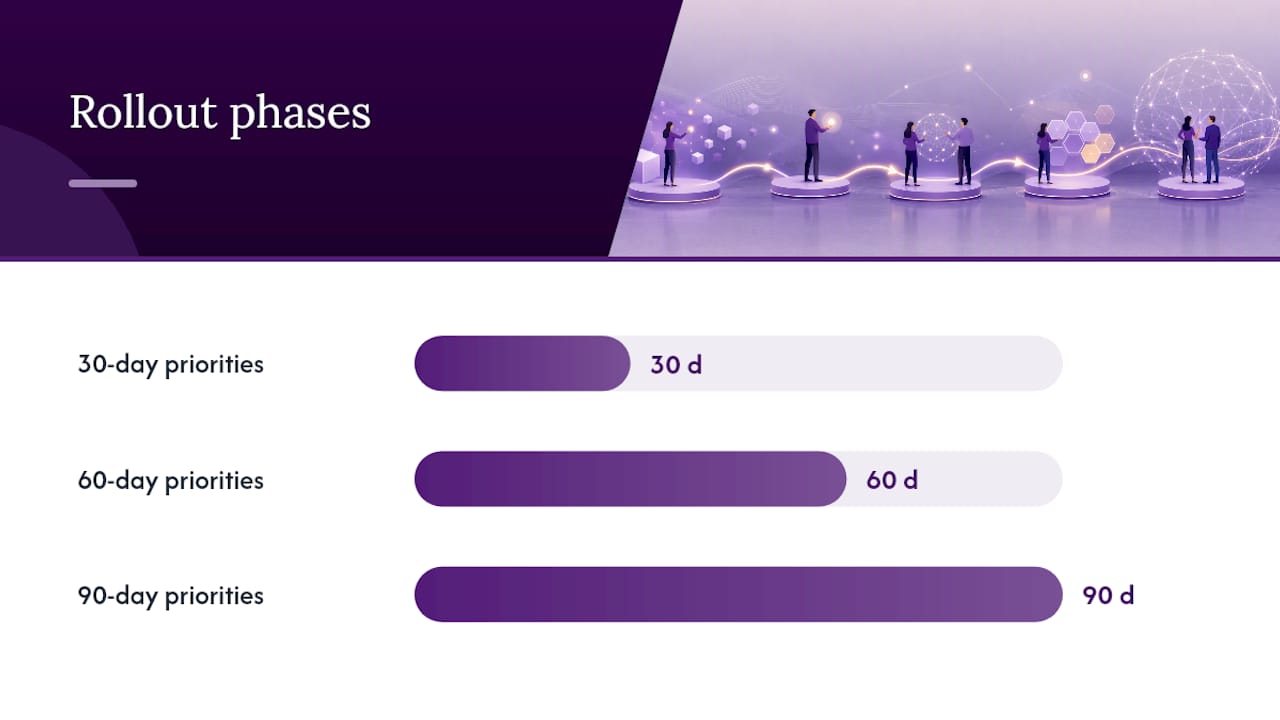
30-day priorities:
- Finalize and publish the policy (working draft acceptable)
- Identify and approve tools currently in use for mission-critical functions
- Apply Restricted data protections immediately (no PHI/FERPA data in external AI tools)
- Assign the policy owner and convene the AI Review Committee for the first time
- Launch baseline training for all staff; set a 30-day completion target
60-day priorities:
- Complete the tool registry (inventory all AI tools in use, including shadow AI identified through IT monitoring)
- Complete vendor due diligence for all tools handling Internal data or above
- Deliver role-based elevated training to HR, IT, legal, and clinical/student-services staff
- Publish the incident reporting channel and confirm it is operational
- Conduct the first governance committee review of open intake requests
90-day priorities:
- Achieve 90% training completion across all covered persons
- Complete vendor due diligence for all approved tools
- Conduct the first policy review and incorporate lessons from the first 90 days
- Publish governance metrics (tool registry completeness, training completion, incident count) to leadership
| Milestone | Owner | Target Date | Success Metric |
|---|---|---|---|
| Policy published | Policy Owner | Day 1–30 | Policy live on intranet |
| Baseline training launched | HR | Day 1–30 | Training module available to all staff |
| Tool registry complete | IT | Day 31 to 60 | Tool registry completeness |
| Vendor due diligence complete | Legal / IT | Day 31 to 60 | DPA on file for all tools handling Internal data or above |
| Training completion | HR | Day 61 to 90 | 90% completion rate across all covered persons |
| First policy review | Policy Owner | Day 91 or later | Review meeting documented; updates published |
How should leaders integrate this policy into culture and HR practice?
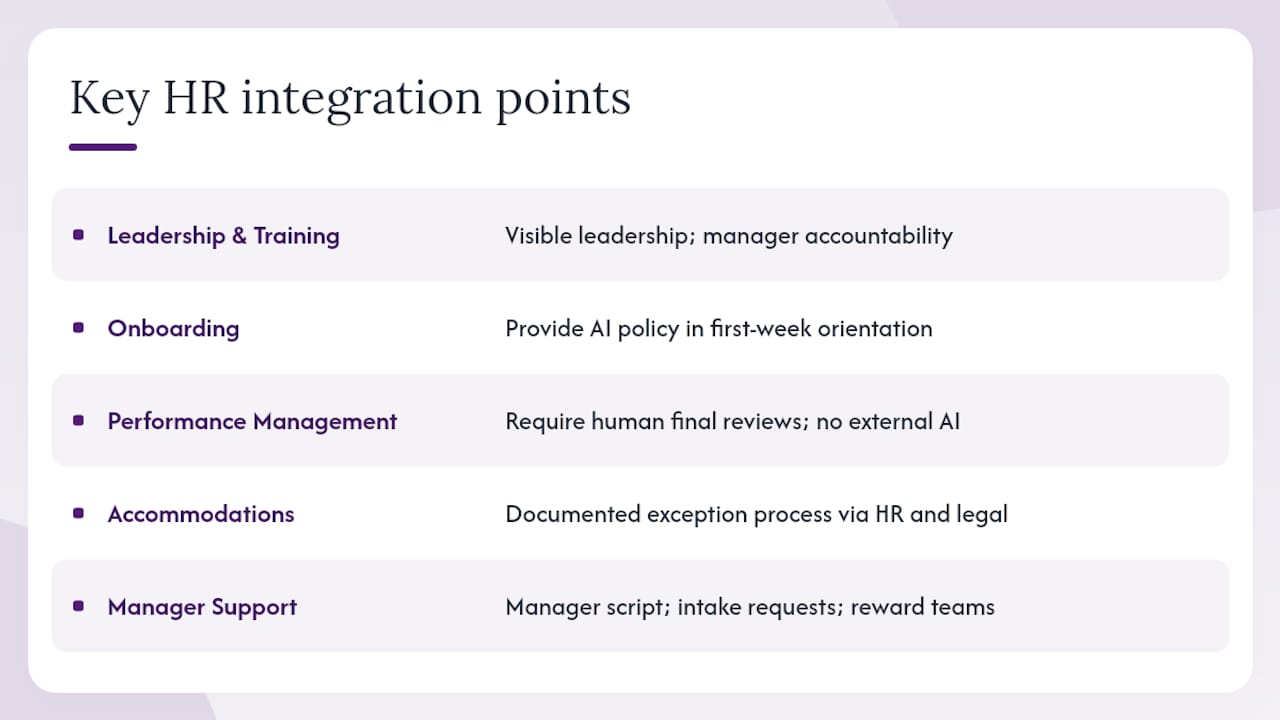
Policy alone does not prevent misuse. The organizations that see the lowest rates of shadow AI and policy violations are the ones that pair the written policy with visible leadership behavior, manager accountability, and training that employees find useful rather than punitive.
HR integration starts at onboarding. New employees should receive the AI policy as part of their first-week orientation, alongside the code of conduct and data security training. That placement signals that AI governance is a core employment expectation, not an IT afterthought.
Performance management is a higher-stakes integration point. If managers use AI tools to draft performance reviews or generate ratings, the policy must address that use case explicitly: require human authorship of the final evaluation, prohibit submission of employee performance data to external AI services, and document the review process. Anti-discrimination law (Title VII, ADEA, ADA) applies to AI-assisted employment decisions the same way it applies to human ones.
Accommodation requests related to AI tools are an emerging HR issue. An employee who requests an exception to the approved tool list for disability-related reasons (for example, a screen reader that uses an AI backend) may have a reasonable accommodation claim. Build a documented exception process that routes these requests through HR and legal, not just IT.
Pro Tip: Incentivize compliance before you enforce it. Recognize teams that complete training early, surface the tool registry in team meetings, and make the incident reporting channel easy to use. Punitive-first cultures produce underreporting, not compliance.
For managers, a short script helps: "Our policy requires that you use only tools on the approved list for work tasks. If you find a tool you'd like to use that isn't on the list, submit an intake request and I'll help you move it through the process." That framing positions the policy as a workflow, not a prohibition.
UNESCO's Recommendation on the Ethics of Artificial Intelligence grounds these practices in human-rights-centered principles: transparency, fairness, privacy, and human oversight. Those principles are not abstract; they translate directly into the HR practices above.
Leaders who act now reduce risk and enable innovation
The organizations that move first on AI governance are not the most cautious ones. They are the ones that recognize a clear policy creates space for safe experimentation rather than closing it down.
The most common mistake is waiting. Leaders who delay policy publication while convening committees and seeking consensus allow shadow AI to proliferate. By the time the policy is published, employees have already built workflows around unapproved tools, and the policy's first job becomes remediation rather than prevention.
Start with the template in this article. Convene one governance meeting with your CISO, HR lead, and legal counsel. Assign a policy owner. Publish a working draft within 30 days. The draft does not need to be perfect; it needs to be published, communicated, and enforced.
The second most common mistake is treating the policy as an IT document. AI governance is a people and culture issue that happens to involve technology. The leaders who get this right involve HR from day one, integrate the policy into performance management and onboarding, and hold managers accountable for team-level compliance.
Jonathanjboone helps organizations build and implement AI governance
Organizations that need more than a template get a structured engagement with Jonathanjboone: a diagnostic session to assess current AI use and risk exposure, a policy drafting workshop that produces a complete, sector-specific AI use policy, governance design that assigns roles and builds the approval workflow, and 90-day rollout support including training materials and manager briefings.
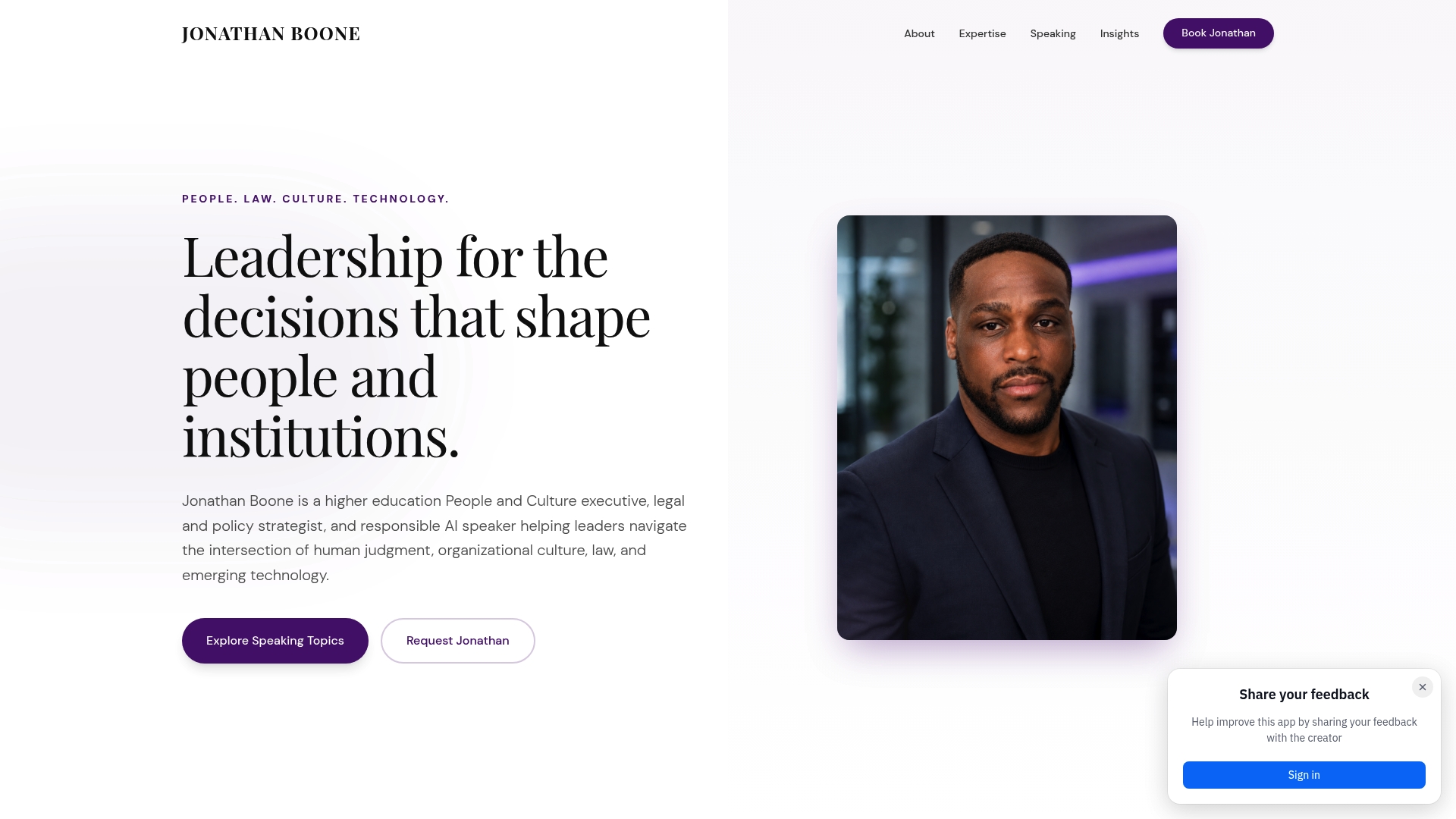
The engagement is built for higher education institutions, HR teams, and corporate leaders who need a defensible, operational policy, not a generic document. Every deliverable is adapted to the organization's sector, size, and existing compliance obligations, including HIPAA, FERPA, NLRA, and anti-discrimination law.
To start with a diagnostic session or book an executive briefing, visit Jonathanjboone.
Sources
The sources below informed the policy guidance in this article and are the primary references decision-makers and auditors will need.
- Artificial Intelligence Risk Management Framework (AI RMF 1.0) — NIST
- Acceptable Use of Generative AI Tools — Fisher Phillips (sample policy)
- OECD Due Diligence Guidance for Responsible AI — OECD (2026)
- Generative AI Usage Policy Template — SHRM
- Recommendation on the Ethics of Artificial Intelligence — UNESCO (2026)
This article is general information, not a substitute for advice from a qualified lawyer. Consult a qualified legal professional about your own circumstances before acting on anything here.